



Hands-Free Help Around Franklin, WI — How Google built-in Elevates the 2026 Mazda CX-5
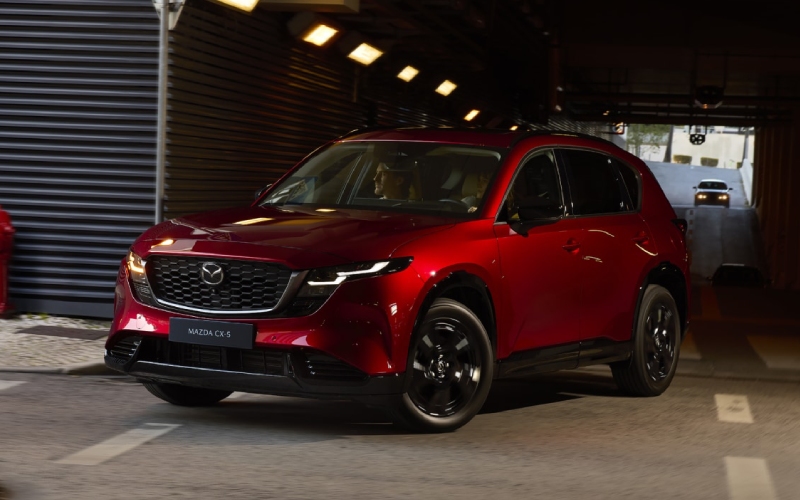
Russ Darrow Mazda of Milwaukee – Hands-Free Help Around Franklin, WI — How Google built-in Elevates the 2026 Mazda CX-5
The latest CX-5 introduces a cockpit that feels intuitive from the first tap of the available 15.6-inch integrated touchscreen. It’s not just bigger—Mazda designed the new interface to be calmer and more direct, with Google built-in seamlessly tying navigation, voice assistance, and app access together. For daily drives around Franklin, WI, that means fewer steps and more clarity. Set a course with Google Maps, pull up your saved places, stream content from the curated Play Store, and keep your hands where they belong—on the wheel—thanks to natural voice control.
Voice functionality is where this system shines. Instead of memorizing exact commands, you can speak naturally. Ask for the fastest route to the gym, request a coffee stop along the way, or get directions to a new client address you searched earlier on your phone. Google built-in helps link your real-world routines with in-vehicle tasks. The result is a more personalized cabin that adapts to you over time, rather than a system you have to work around every day.
What Changes Most for Everyday Driving?
Two things: context and confidence. Context means your car remembers what matters. When you’re signed into your Google Account, the system can surface saved destinations, recent searches, and Maps preferences you already use elsewhere. Confidence comes from consistency—Google Maps in the vehicle looks and behaves like the app you know, with fresh traffic data and easy-to-read guidance. If you’ve ever wrestled with a clunky interface while merging on busy roads, the difference here is immediate and reassuring.
Because the display is integrated and expansive, visibility improves across the board—maps, media, and settings are simply easier to see at a glance. That matters for quick updates, like changing audio sources or toggling guidance options without hunting through menus. The home screen is customizable, too, so your most-used tiles stay ready where you expect them.
Natural Voice Assistance That Feels, Well, Natural
With Google built-in, the assistant can handle follow-up questions and conversational prompts, reducing the need to repeat rigid phrases. It’s a practical advantage when your day is busy or your route changes on the fly. You can ask for ETA updates, check for alternate routes around a backup, or find a late-night pharmacy on the way home—hands-free. Google Gemini, announced as coming soon to cars with Google built-in, will further expand the system’s ability to understand and act on complex voice prompts. That momentum is a real benefit if you appreciate tech that gets smarter over time.
Music and news are just as straightforward. Use your voice to queue up tracks, switch playlists, or launch supported audio apps from the Play Store. The system was designed around ease, so your attention stays on driving without sacrificing the comforts and content you love in the cabin.
How Setup Works the First Day You Drive
Getting started is designed to be simple. Once you’re in the vehicle, sign into your Google Account on the infotainment screen to access your saved places and preferences. Then, customize your home screen layout—pin your most-used functions like Maps, audio, and phone. If you share the vehicle with a partner, profile settings help keep things tidy so each driver’s preferred layout, logins, and shortcuts are available with just a tap or two.
It’s worth taking five minutes in the driveway to set voice shortcuts you know you’ll use most. Try a few prompts you would realistically ask during a commute, so you learn what the assistant understands and how it responds. That quick onboarding pays off the first time traffic changes, and you need a faster route without taking your hands off the wheel.
How This Tech Fits Franklin, WI Life
Local routines rarely stand still. One afternoon you’re routing to youth sports fields and grabbing last-minute groceries; the next, you’re crossing town for a client meeting, then heading to dinner in Historic Downtown Greendale. The CX-5’s available Google built-in system slots right into that everyday flexibility. Saved addresses eliminate guesswork, accurate traffic details guide smarter departures, and on-the-fly voice help trims the mental load—which, frankly, might be the most underrated feature of all.
If your week includes regular trips across Milwaukee County or you split time between home and workplaces scattered around the metro, keeping navigation, media, and communication accessible in one consistent system is a game-changer. It’s not about more screens; it’s about less friction between you and the tasks you juggle while driving.
FAQ for First-Time Users
Do I need to use my phone for navigation?
No. With Google built-in, native Google Maps runs right on the vehicle’s display. You can still cast via smartphone if you prefer, but it’s not required for Maps.
Can I install my favorite apps?
Within the Google Play Store curated for in-vehicle use, you can add compatible music, podcast, and news apps. The catalog focuses on experiences designed for driving simplicity.
What if I share the CX-5 with a partner?
Create separate user profiles and sign into each driver’s Google Account. That way your saved places, preferences, and app logins remain distinct.
Is this different from smartphone mirroring?
Yes. Google built-in is native to the vehicle, designed for simplified controls and larger-screen usability, while mirroring extends your phone’s interface to the display.
Tech That Stays Out of the Way
The beauty of this setup is that it quietly supports your day rather than demanding attention. The interface feels familiar, the assistant listens like a helpful passenger, and the screen presents exactly what you need at a glance. Combined with the CX-5’s larger cabin openings, improved rear-seat comfort, and a longer cargo area with a lower lift-in height, daily driving becomes less about compromises and more about small wins that add up.
Our team is here to help you get the most from your first drive. We’ll walk you through account sign-in, show you how to save key destinations, and help you create a home screen that mirrors your real-world priorities. If you’re curious how the system responds to your routines from Franklin to downtown Milwaukee and everywhere in between, we’re happy to set up an extended test drive and answer questions along the way.
At Russ Darrow Mazda of Milwaukee, we’re committed to making technology approachable and genuinely useful. From setup and personalization to tips for voice prompts and profile management, we’ll guide you through features that make driving easier from day one—serving Oak Creek, Franklin, and Pewaukee.
0 comment(s) so far on Hands-Free Help Around Franklin, WI — How Google built-in Elevates the 2026 Mazda CX-5